


You don’t build a 5-star reputation by chasing perfect service — you build it with math and consistency. A star rating is a running average, and averages move when you add fresh reviews faster than the occasional bad day can drag them down. Understand that one idea and the whole thing stops feeling like luck and starts feeling like a system you can run.
This is the strategy side of reputation: the rating math, the velocity that protects you, responding in a way that wins the next customer, and recovering from the bad review that will eventually land. For the tactics of actually collecting reviews — timing, message copy, one-tap links — see how to generate more Google reviews. This piece is about turning those reviews into a durable asset.
The rating math nobody explains
Your rating is an average, and that changes everything about how you should think about it. Most owners obsess over their star number as if it were fixed. It isn’t. It’s the total stars you’ve earned divided by the number of reviews — and both sides of that fraction are in your control.
Say you sit at 4.2 stars on 50 reviews. That’s 210 total stars. Ten new 5-star reviews pull you to 4.33. Fifty pull you to 4.6. The lever was never perfection — it was volume. A business with 400 reviews can absorb a bad week without flinching; a business with 40 feels every one-star like a punch.
Recency stacks on top of that. Google and customers both weight recent reviews most heavily — a wall of 5-star reviews from three years ago reads as a business that used to be good. A steady trickle of new ones reads as a business that’s good right now. That’s why the goal isn’t a perfect rating. The goal is a live one.
The position most operators get wrong: they try to protect a small, fragile average by avoiding requests, terrified of a bad review. Backwards. The way you make a bad review harmless is by burying it under volume.
Volume is the whole strategy — build the velocity
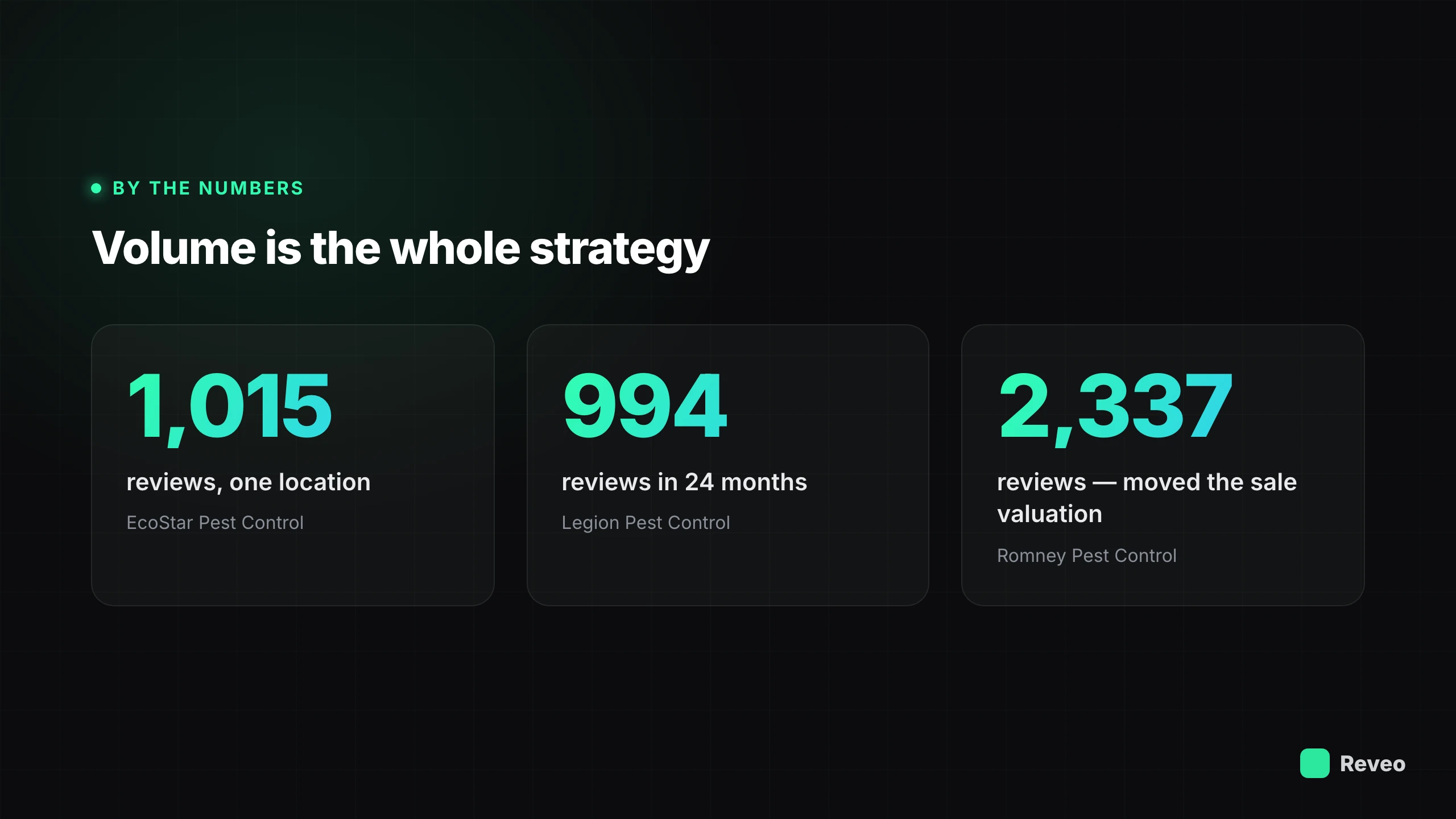
If the math rewards volume and recency, then the entire game is review velocity: a consistent flow of new reviews, every week, without you thinking about it.
The businesses that win here didn’t ask better. They asked every time. EcoStar Pest Control built 1,015 Google reviews from a single location — the kind of density you’d expect from a regional chain, not one office. Legion Pest Control reached 994 reviews in 24 months and stopped worrying about it. Romney Pest Control built 2,337 reviews across its footprint, and when the owner sold, that review density showed up in the valuation. Reputation on the balance sheet.
None of that came from a clever campaign. It came from wiring the review request to fire automatically the moment a job is marked complete, so the ask happens while the customer is still standing in a cool house or a clean yard — not three days later when someone finally remembers. The mechanics of that ask (channel, timing, link) are covered in the generate-reviews playbook; the strategic point here is simpler: velocity is a system, not a push. Set it once and it compounds.
BrightLocal’s annual local-consumer survey has found for years that the large majority of people read reviews before choosing a local business. That’s the demand. Velocity is how you meet it.
Responding is half the asset
Collecting reviews and ignoring them leaves half the value on the table. Every response is a second piece of content — one the next customer reads to judge how you operate.
Reply to the good ones, briefly and specifically. “Thanks, Sarah — glad Mike got the AC sorted before the heat wave” costs thirty seconds and tells the next reader you’re paying attention. Skip the generic “Thanks for the review!” that could sit under any business on earth; specificity is the whole point.
The negative ones matter more, because that’s where prospects decide whether to trust you. A calm, professional reply that acknowledges the issue and takes it offline does more to win the next job than a dozen five-star reviews. Never argue in public — the reviewer isn’t your audience, the reader is. If keeping up with every review by hand isn’t realistic at your volume, Reveo can draft on-brand replies you approve in seconds. The full approach is in the guide to responding to negative reviews.
When the bad review lands — because it will
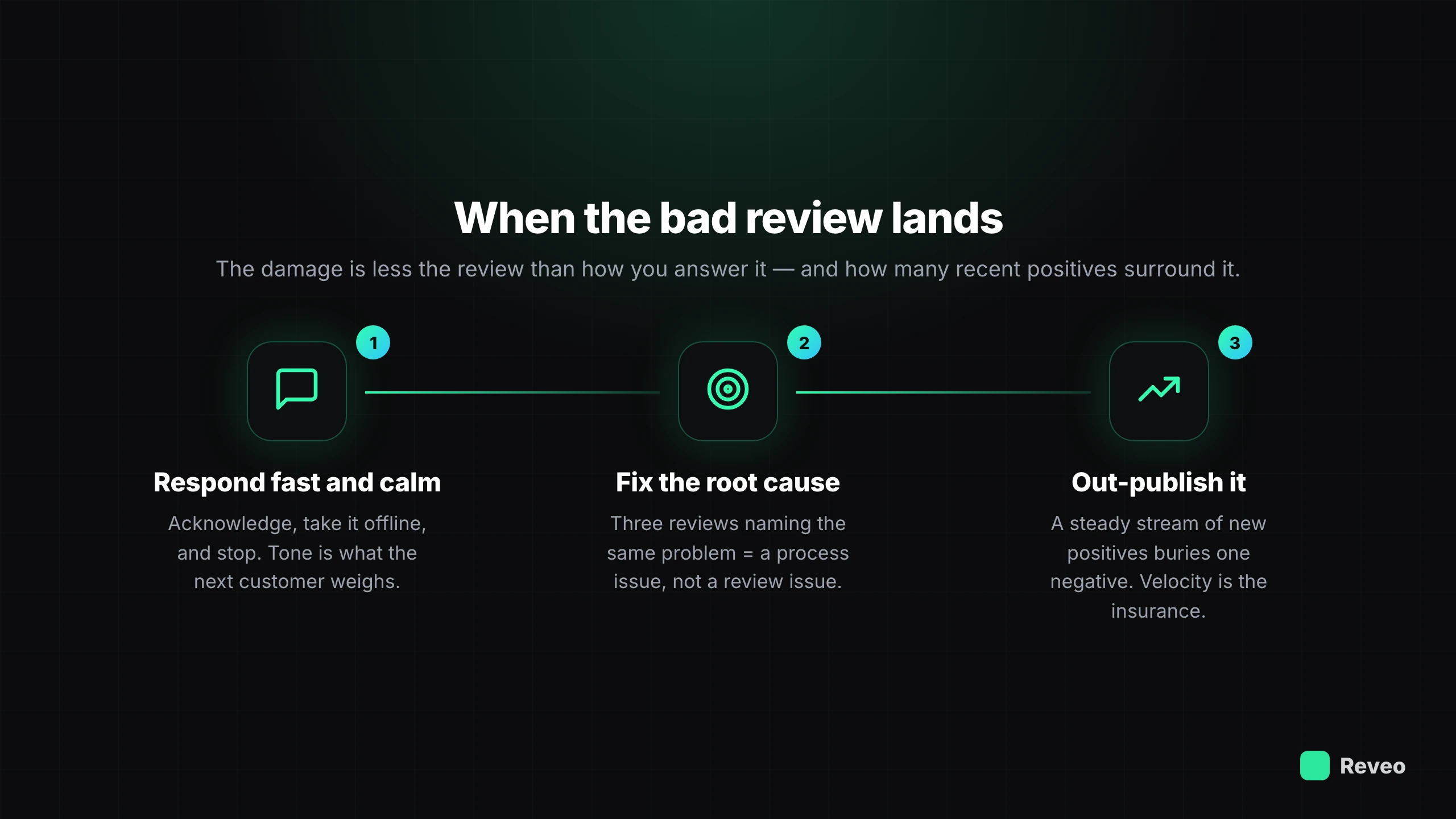
Even great operators get a bad review. A missed window, an off day, a customer you were never going to satisfy. The damage comes less from the review than from two things: how you answer it, and whether you have enough recent positives that it barely dents your average.
Three moves handle it:
- Respond fast and calm. Acknowledge, take it offline, and stop. The tone of that reply is what the next customer weighs.
- Fix the root cause. If three reviews mention the same problem, it’s a process issue, not a review issue. Reviews are the cheapest customer research you’ll ever get.
- Out-publish it. The most reliable way to bury one negative is a stream of new positives. When BRD Pest Control got on a real system, its review velocity jumped 3.4× in the first 17 days — at that pace, a single bad review is noise. A business earning reviews every week barely feels one; a business stuck at 30 total feels every one.
Notice the recovery plan is the same velocity engine from earlier. That’s not a coincidence — the generation system is the reputation defense.
Turn reviews into an asset that sells
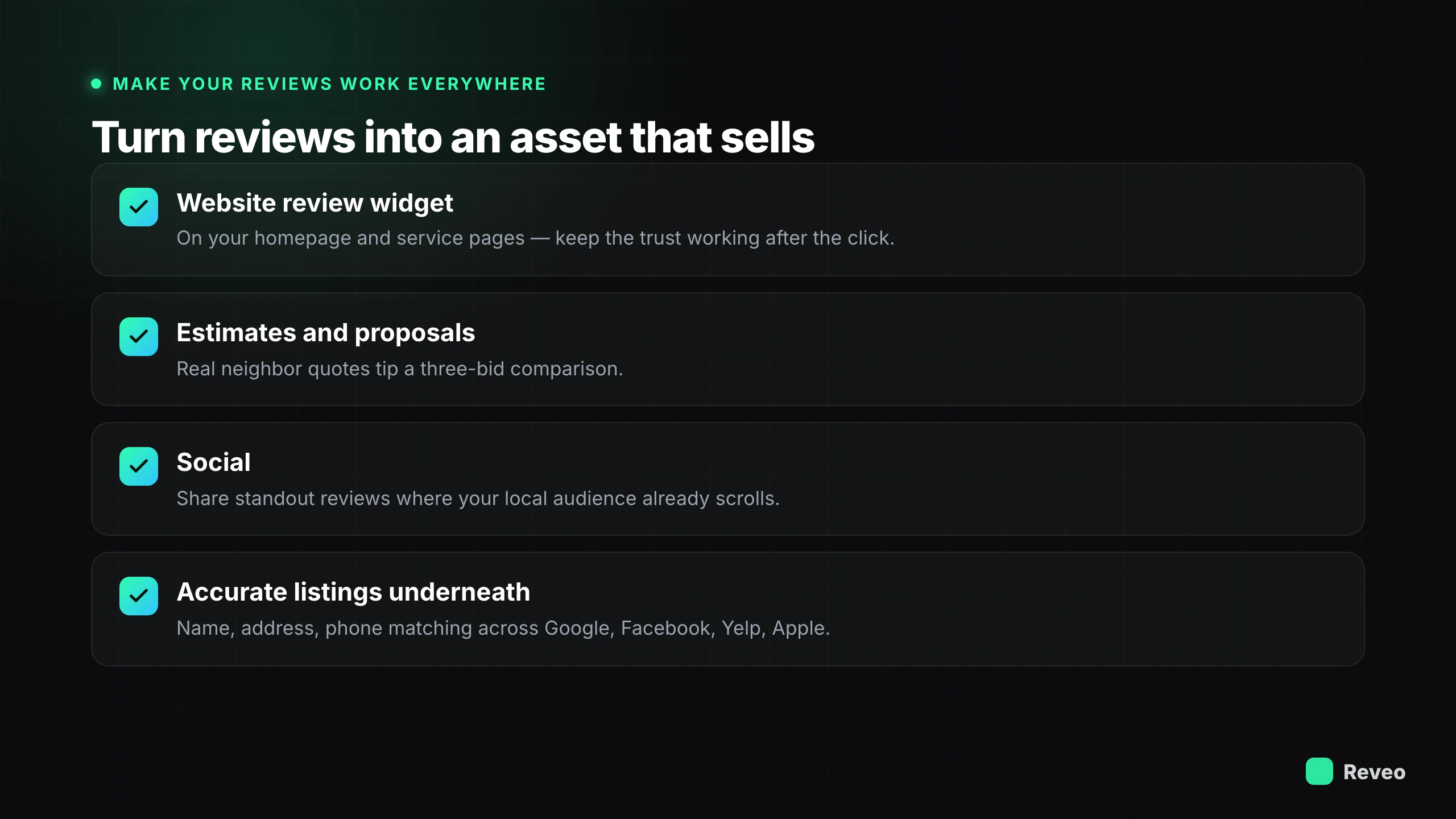
Most businesses let their best reviews sit on Google doing one job. Your reviews are the most persuasive marketing you own, and they should show up everywhere a prospect checks.
Put your strongest ones on your website — a live review widget on your homepage and service pages keeps the trust that won the click on Google working after the visitor arrives. Drop real quotes into your estimates and proposals; when a homeowner is comparing three bids, five-star feedback from a neighbor tips it. Share standout reviews on social where your local audience already scrolls — see the full social media playbook if your Facebook or Instagram page needs the setup first.
Underneath all of it, keep your listings accurate. Your name, address, and phone need to match across Google, Facebook, Yelp, and Apple, or you quietly lose local ranking to inconsistency. Start with your Google Business Profile — it’s the one customers actually see.
Where to start this week
You don’t need a project. You need three moves that turn reputation from a hope into a system:
- Turn on automatic review requests for every completed job, sent by text within the hour, so velocity runs without you.
- Reply to every review you haven’t answered — negatives first. The responses are content too.
- Fix your Google Business Profile so your hours, phone, and services are correct everywhere.
Do those consistently and the math starts working for you: more reviews, more recent, higher rating, better local ranking — the same compounding that turned EcoStar’s and Romney’s review counts into a real competitive edge.
Want to see where you stand today? Run a free reputation scan for a snapshot of your reviews, rating, and listings in a couple of minutes.