
All Your Messages in One Place
Respond faster, stay organized, and never miss another customer message — no matter where it comes from.
Book a demo → free 30-day trial · No credit card required
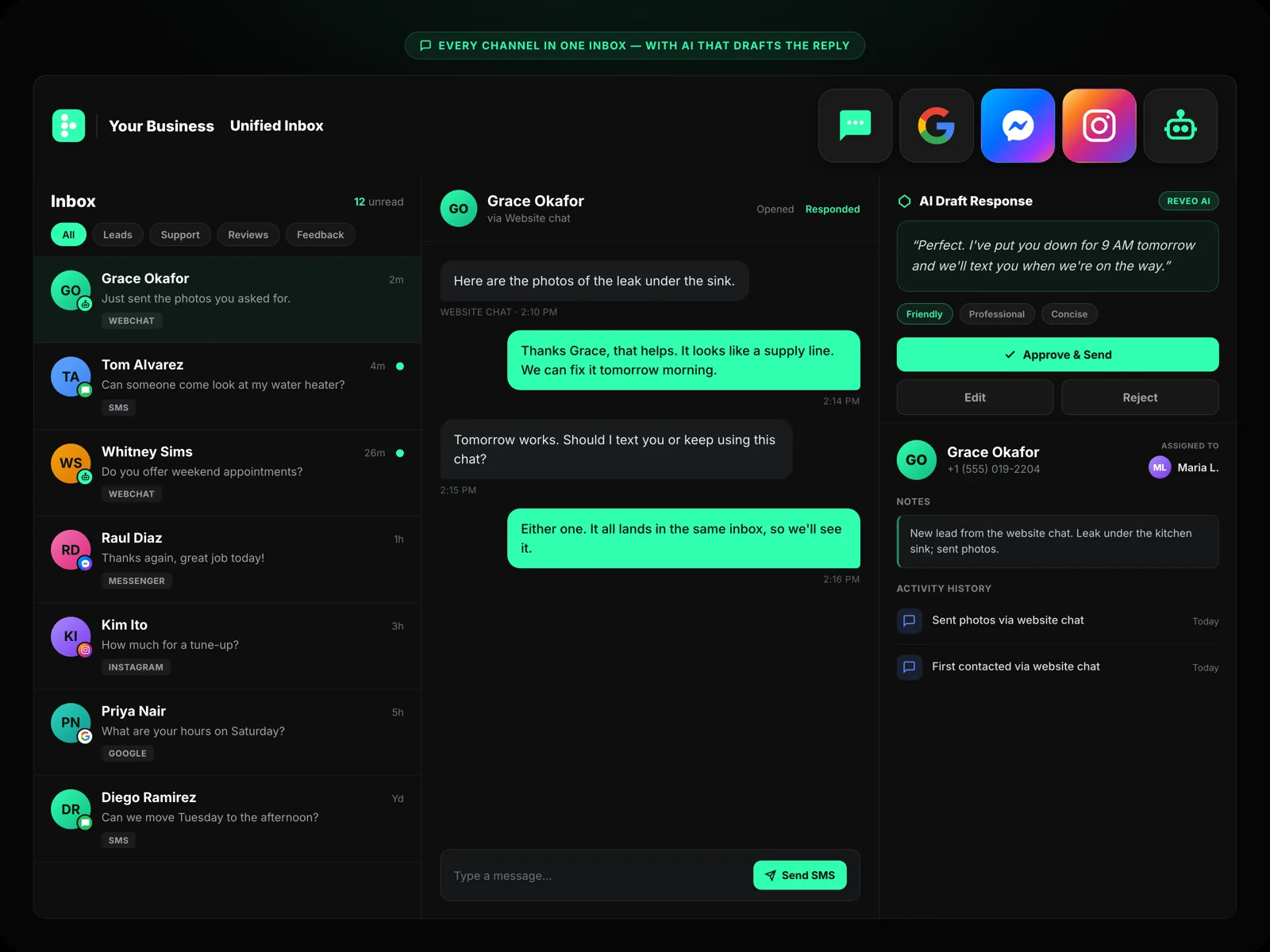
Why Home Service Pros Choose Reveo
Today's customers expect fast replies. Reveo's messaging suite helps busy service pros respond quickly, stay on top of conversations, and close more leads — without more work.
Say Goodbye to Message Chaos
Google Messages, Facebook DMs, texts, and site chats — all flow into one organized inbox your team can manage in real time.
Message Customers on the Go
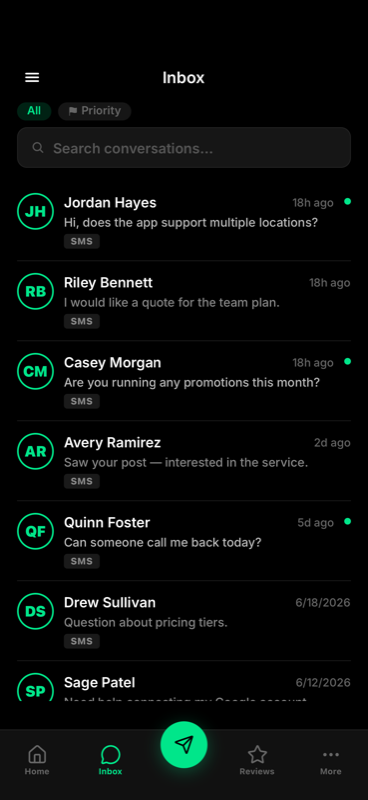
Your crew can reply from their phone, get notifications, and keep things moving — even when they're in the field.
Instant Replies. Smart Routing.
Use AI and templates to reply faster, follow up automatically, and ensure no message falls through the cracks.
Why Messaging Matters
Missed messages = missed revenue. In a fast-moving market, responsiveness isn't optional — it's a competitive advantage.
of customers hire the first company to respond
of customers prefer text or chat over phone calls
of customers read business replies on Google
every chat, text, and DM in one place
Text. Chat. Facebook. Google. All in One Thread.
Keep every conversation organized and respond from one place — no need to switch apps or log into multiple platforms.
A Shared Inbox Your Whole Team Can Use
Centralize customer communication with internal notes, message tagging, and notifications. Never lose track of a message again.
Stay Responsive From Anywhere
Your crew can reply, send updates, or follow up right from their phones. Notifications make sure nothing gets missed — even between jobs.
Connects With Tools You Already Use
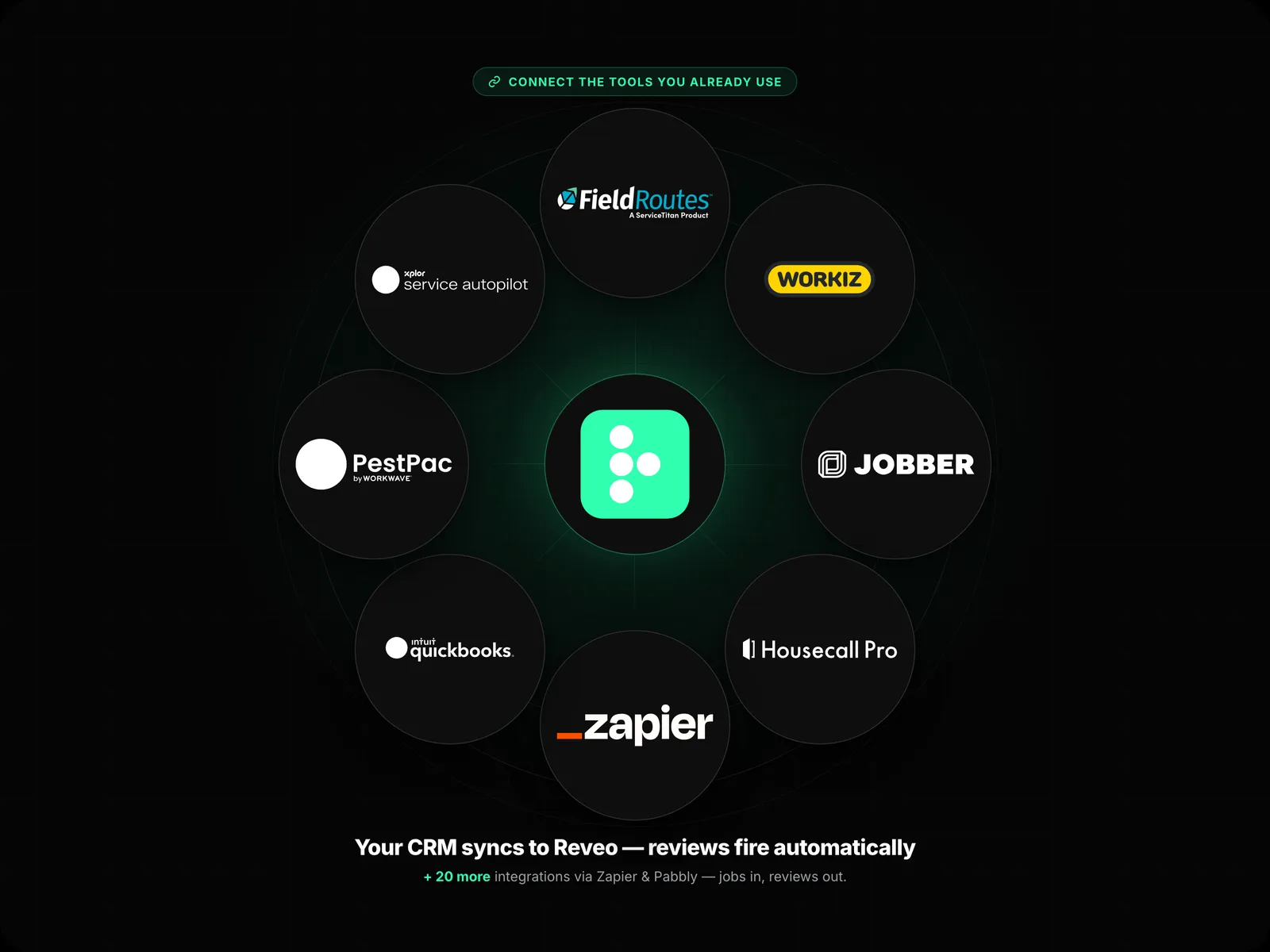
Reveo integrates with CRMs like Housecall Pro, Jobber, and FieldRoutes — so messaging fits seamlessly into your existing workflow.
What Business Owners Are Saying
The Webchat service made it so much easier for potential customers to reach out without long forms or a phone call. People send a quick message, we respond in real time, and inquiries through the chat are up noticeably.
Reveo has exceeded our expectations. It is user-friendly with a wide range of features, and the actionable insights help us continuously improve — the perfect solution for a home-service business.
Ready to Never Miss a Message Again?
Start managing all your conversations in one place today.
Book a demo → free 30-day trial · No credit card required
What channels does Reveo's messaging inbox support?
Google Business Messages, Facebook Messenger, SMS, Webchat, and more — everything flows into one place.
Can my whole team use the same inbox?
Yes. Every user on your account shares one inbox with role-based permissions (Owner, Admin, Manager, Team Member, Field Tech). Assign conversations, see who's replying, and leave internal notes — no more screenshots pasted into group chat.
Do I need to download a separate app to manage messages?
No. Reveo works in any browser, and there's also a native iOS and Android app for field teams who live on their phones. Everything syncs in real time between web and mobile.
What happens if I miss a message?
Unread messages surface at the top of the inbox and trigger escalating alerts — push, email, SMS — if no one replies within your defined window. You can also set auto-replies so customers know you've received their message and when to expect a response.
Does Reveo messaging integrate with CRMs like Housecall Pro or Jobber?
Yes. Reveo integrates natively with Housecall Pro, Jobber, ServiceTitan, FieldRoutes, and other home service platforms — plus Pabbly and Zapier for thousands of other apps, and webhooks for anything custom. Contacts, jobs, and messages stay in sync both directions.
Is there a mobile app for field technicians?
Yes. The Reveo mobile app gives field techs their own view — today's jobs, customer contact info, one-tap messaging, and review requests they can fire off from the driveway. Permissions keep them focused on their work without exposing back-office data.
How does Reveo help with response time?
Most customers see first-hour response times drop once every channel feeds into one inbox. Reveo surfaces urgent messages first, supports saved replies, AI-drafted responses, and auto-assignment rules so the right person sees the right message faster.
Can I customize my message templates?
Yes. Build a library of saved replies with merge tags (customer name, job type, appointment date) and share them across the team. Use them for quotes, confirmations, ETAs, and follow-ups — all one click from the inbox.
Related Resources
Messaging for Home Service Pros: The Ultimate 2025 Guide
Everything you need to streamline conversations, convert leads, and stay responsive.
Read more →Why a Unified Inbox Could Be Your Most Powerful Sales Tool
If your leads are messaging you everywhere, it's time to bring it all into one place.
Read more →How Scoop Soldiers Increased Lead Volume with Reveo
See the impact of centralizing communication and automating responses.
Read more →