
Manage Customer Contacts Like a Pro
Instantly access contact details, communication history, automation triggers, and insights from one clean dashboard.
Book a demo → free 30-day trial · No credit card required
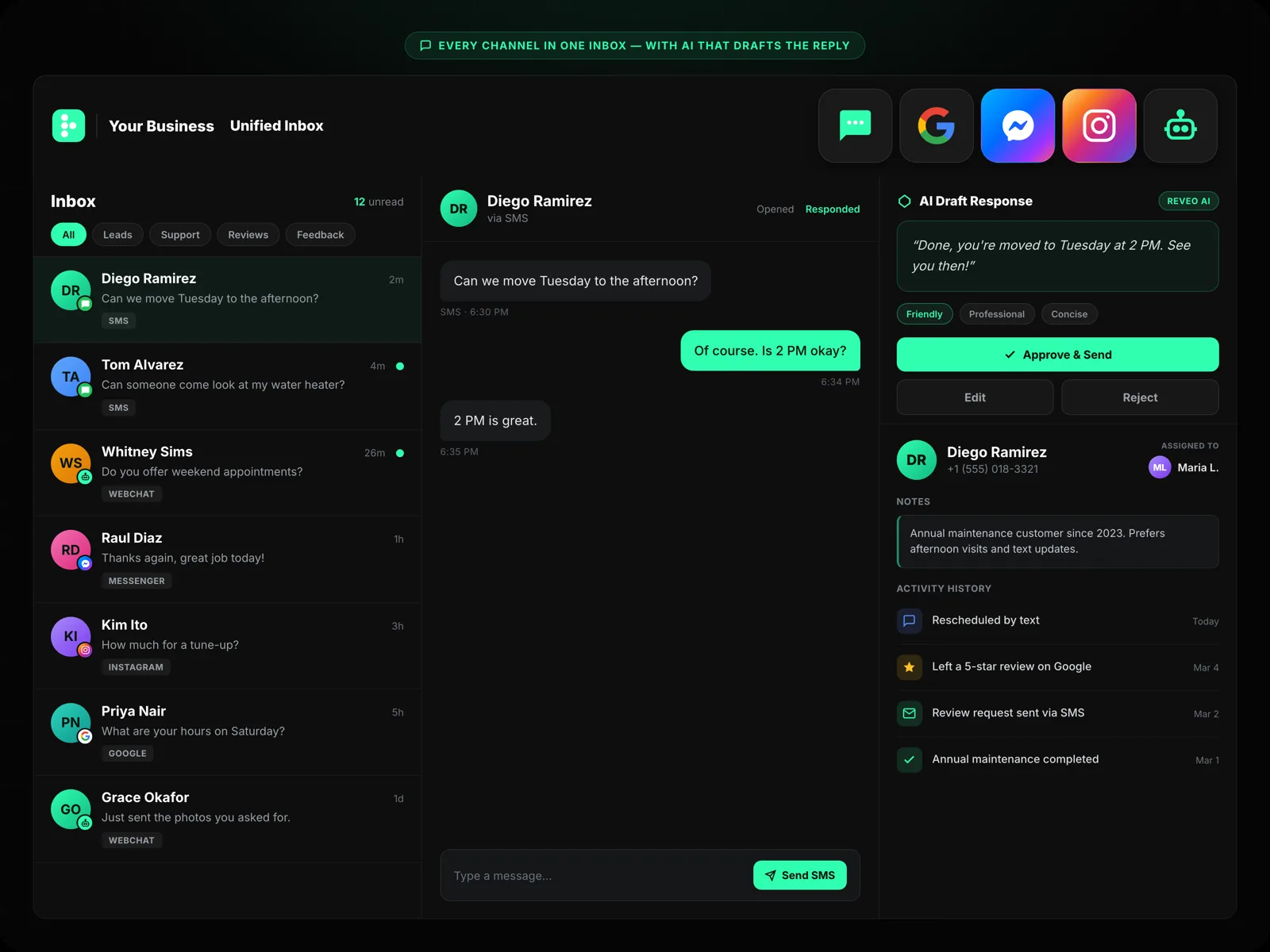
One Unified Profile for Every Customer
Reveo combines all messaging channels — text, webchat, social, and email — into one centralized contact record with smart automation and historical data.
Every Interaction, Every Detail, One Place
View customer name, contact info, lead source, review history, and conversation timeline from a single contact card — no more tab-switching.
Automate Messages Based on Customer Actions
Automatically trigger review requests, follow-ups, or reminders based on events like service completion or appointment date — customizable by you.
See Every Conversation, Start to Finish
Instantly reference past texts, emails, and chat messages in one timeline — sorted by channel and date so your team always has full context.
What information is stored in a contact record?
Each contact record includes name, phone, email, lead source, tags, review history, full conversation timeline across all channels, automation triggers, and any custom fields you've added.
Can I import contacts from my CRM?
Yes. Use the import wizard for a one-time CSV upload or connect natively to Housecall Pro, Jobber, ServiceTitan, FieldRoutes, and others for real-time two-way sync. Duplicate detection and smart matching keep your list clean.
How do touchpoint automations work?
Set rules that fire on customer events — new contact added, job completed, invoice paid, date of last service — and Reveo sends the right survey, review request, or follow-up automatically. You build the sequence once and it runs for every contact that qualifies.
Can I segment contacts with tags and filters?
Yes. Tag contacts manually or by rule, then filter by any combination of source, tag, service history, review status, or custom field. Save segments and target them with campaigns or automations.
Does the timeline show messages from all channels?
Yes. The contact timeline pulls in SMS, email, webchat, Google Business Messages, Facebook, survey responses, and review activity — in one chronological feed. No hunting across tabs to see the full relationship.
Full Customer Context,
One Click Away
Every interaction, every detail, every channel — organized and searchable.
Book a demo → free 30-day trial · No credit card required