


This Google Business Profile checklist is the exact sequence we run when we set up or clean up a GBP for a home-service business — claim, categories, photos, reviews, posts — in the order that actually changes where you rank. When someone searches “plumber near me” or “pest control near me,” Google picks three businesses for the map pack, and a complete, active profile is most of what gets you into it.
Work it top to bottom. The early steps — claim, primary category, NAP — are the ones that move rankings; the later ones — photos, posts, tracking — compound over the following months. Where a line needs more than a checklist can give, it points to the deeper Google Business Profile optimization guide. This page is the do-it-now list; that one is the why.
What a complete profile actually buys you
For a home-service business without a storefront customers walk into, your GBP is the storefront. It’s the thing a homeowner reads for thirty seconds before deciding whether to call you or the company one spot down the map. An incomplete or stale profile loses that decision quietly — you never see the call that went somewhere else.
Google itself says businesses with complete Business Profiles are 2.7× more likely to be considered reputable by customers. That tracks with what we see running reviews for pest, HVAC, and cleaning companies: the profiles that fill every field and keep reviews flowing are the ones that show up in the pack and get the click.
Step 1 — Claim & Verify Your Profile
You can’t change anything until you own the listing. Google auto-generates a lot of profiles from public data, so yours may already exist — you just have to claim it. Verification is what lets you edit the profile, respond to reviews, and post.
Go to Google Business Profile Manager — Visit business.google.com and sign in with the Google account you want to manage the listing. Search for your business name. If it exists, click “Claim this business.” If not, click “Add your business” to create a new listing from scratch.
Complete verification — Google offers several verification methods: postcard (5–7 days), phone call, email, or instant verification for some businesses. Choose the fastest method available to you. Until you’re verified, your edits won’t go live and you can’t respond to reviews.
Confirm NAP consistency — Your Name, Address, and Phone number (NAP) must match exactly across your GBP, website, and every directory listing (Yelp, Facebook, Yellow Pages, etc.). Even small differences — “St” vs. “Street,” or a different phone format — can hurt your local ranking.
Step 2 — Complete Every Profile Section
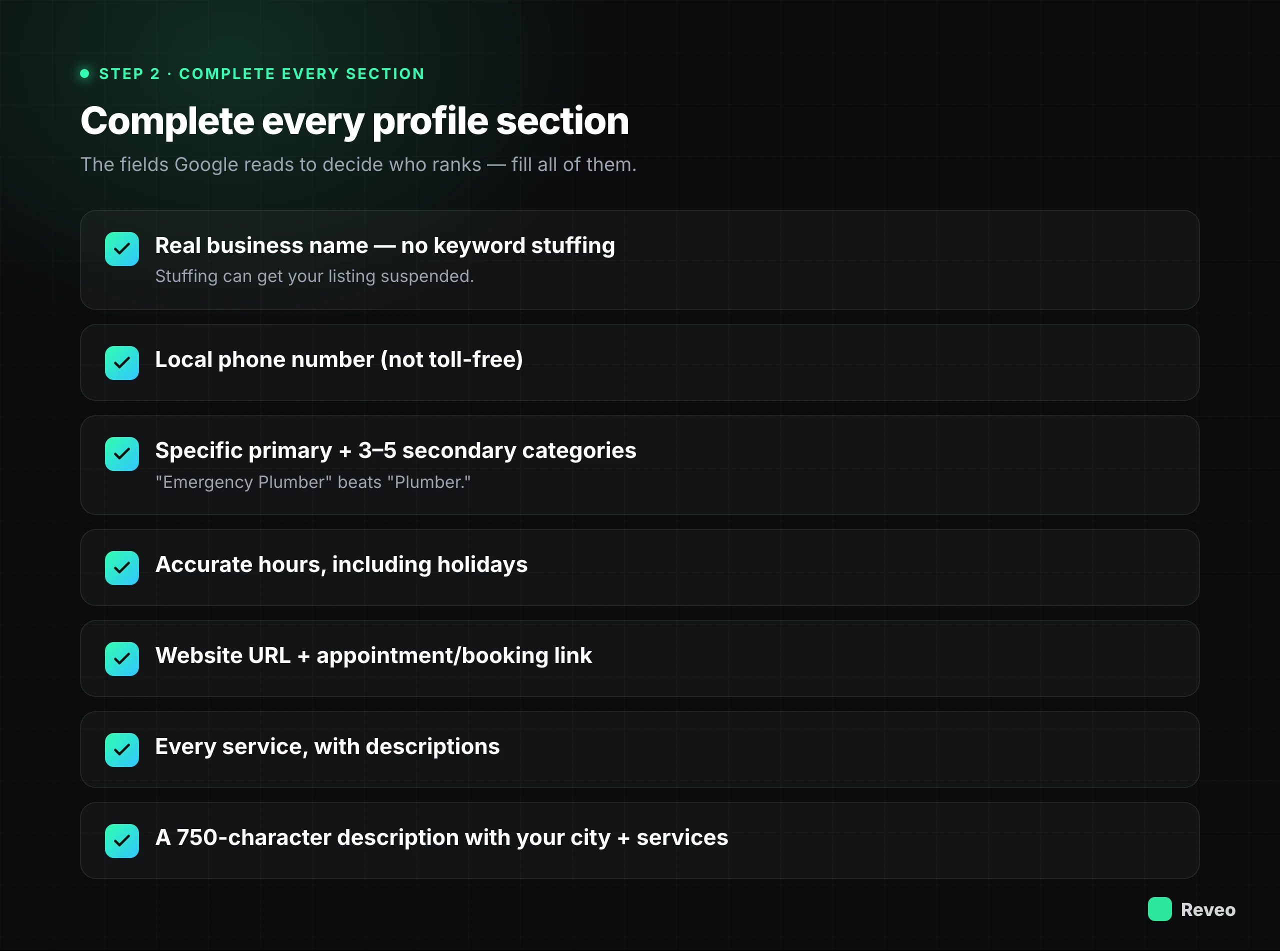
Google rewards completeness. Every empty field is a missed signal. Fill out every section — even the ones that seem optional. The more information Google has, the more queries it can match your business to.
Business name — Use your real-world business name exactly as it appears on your signage and legal documents. Don’t stuff keywords into your business name (e.g., “Bob’s Plumbing — Best Emergency Plumber in Dallas”) — this violates Google’s guidelines and can get your listing suspended.
Address — Enter your full physical address. If you’re a service-area business that travels to customers, you can hide your address and set your service areas instead. Make sure the address matches your website and other listings exactly.
Phone number — Use a local phone number (not a toll-free number) as your primary number. Local numbers signal geographic relevance to Google. You can add a toll-free number as a secondary number if needed.
Categories (primary + secondary) — Your primary category is the single most important ranking factor in GBP. Choose the category that most specifically describes your core business. Then add 3–5 secondary categories for additional services. Be specific: “Emergency Plumber” beats “Plumber.”
Hours of operation — Set your regular hours and update them for every holiday, seasonal change, or special closure. Businesses with accurate hours rank better and avoid the trust-killing experience of a customer showing up to a closed door.
Website URL + appointment link — Link to your homepage or a location-specific landing page. If you accept appointments or bookings, add a direct scheduling link — this creates an “Appointments” button directly on your GBP that drives conversions.
Services list — Add every service you offer with descriptions and pricing (if applicable). These services appear on your profile and help Google match you to more specific queries like “AC repair” or “drain cleaning.”
Business description (750 characters) — Write a description that clearly explains what you do, where you do it, and what makes you different. Front-load the most important information. Include your city/region and primary services naturally — this isn’t the place for sales copy, but it is the place for clarity.
Step 3 — Optimize for Keywords
Keywords tell Google what searches your business is relevant for. But GBP optimization isn’t like old-school SEO — stuffing keywords into every field will hurt you. The goal is natural, strategic placement that matches how real customers search.
Include service keywords in your description — Mention your core services naturally: “We provide emergency plumbing, drain cleaning, and water heater installation” is better than “best plumber cheap plumber 24/7 plumber.” Focus on the 3–5 services that drive the most revenue.
Add city and region keywords — Mention your city, neighborhood, or service area in your business description and in your posts. “Serving the greater Austin area including Round Rock, Cedar Park, and Georgetown” gives Google geographic context for multiple search queries.
Avoid keyword stuffing — Google penalizes profiles that unnaturally cram keywords into every field. Never add keywords to your business name. Don’t repeat the same keyword 10 times in your description. Write for humans first, search engines second.
Use natural language that matches customer searches — Think about how your customers actually search. They don’t type “residential HVAC maintenance services” — they type “AC tune-up near me.” Use conversational phrases in your description and posts to match real search behavior.
Step 4 — Photos
Photos are one of the most underused GBP features — and one of the most impactful. Real photos of your crew, trucks, and finished work build trust and give a homeowner a reason to pick you over a faceless competitor. This is also where stock images backfire: customers can tell, and so can Google.
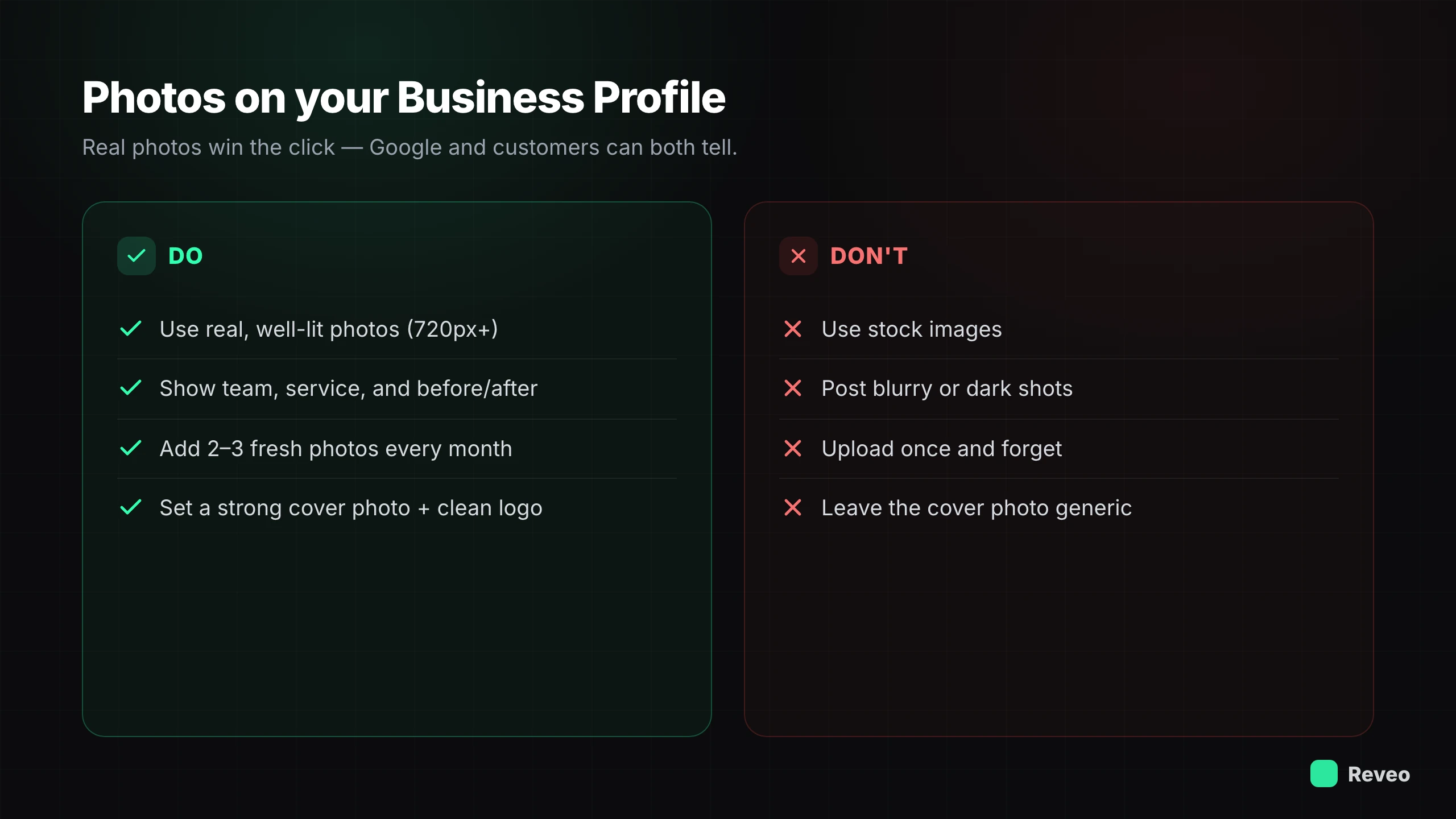
Upload 10–15 high-quality photos at launch — Include your storefront, interior, team members, and examples of your work. Use real photos — not stock images. Google and customers can both tell the difference. Make sure images are well-lit, in focus, and at least 720px wide.
Add 2–3 new photos every month — Fresh photos signal to Google that your business is active and engaged. Set a recurring reminder to upload new images — completed projects, team events, seasonal updates, or customer interactions (with permission).
Include team, service, and before/after shots — Team photos build personal connection. Service photos show what you actually do. Before/after shots are especially powerful for contractors, landscapers, cleaners, and any business where the transformation is visible.
Set a strong cover photo and logo — Your cover photo is the first image people see on your GBP. Choose one that represents your business at its best — a clean truck at a job, a signature service in action, or your crew together. Upload a clean, high-resolution version of your logo.
Example — GBP Photo Gallery With Before/After Shots
Step 5 — Reviews
Reviews are the highest-ROI thing you’ll do on this whole list. They’re a top factor in local pack rankings and, for most homeowners, the deciding factor in who they call. Getting them and responding to them is the foundation of local trust — treat everything above as setup and this as the engine.
The companies that pull ahead aren’t doing anything clever; they just ask every customer, every job. EcoStar Pest Control built 1,015 Google reviews from a single location — the kind of density most competitors in their market (50 to 200 reviews) never reach — by making the ask automatic. Romney Pest Control built 2,337 reviews across its locations, enough that the review count showed up in the company’s sale valuation. Neither happened by asking harder; it happened by asking every time.
Ask for reviews within 24 hours of service — The best time to ask is when the job is fresh and the customer is most satisfied — ideally within the hour, while they’re still standing in the cool house or clean kitchen. Send a review request via text (home-service customers answer texts, not email) with a direct link to your Google review page to cut the friction.
Respond to every review within 48 hours — Google has confirmed that responding to reviews improves your local ranking. But beyond SEO, your responses are public — potential customers read them to judge how you handle feedback. A prompt, professional response shows you care.
Personalize every response — Generic “Thanks for the review!” replies feel robotic. Mention the customer’s name, reference the specific service, and add a genuine note. For negative reviews, acknowledge the issue, apologize, and offer to make it right offline — here’s the playbook for responding to negative reviews. If a review isn’t from a real customer at all, responding won’t help — here’s how to get a fake review removed instead, and what to do if Google removes a real one by mistake.
Automate the ask — Manually remembering to request reviews after every job doesn’t survive a busy week; the tech gets in the truck and the ask never happens. Reveo fires the request automatically when a job closes, monitors new reviews in real time, and drafts responses in your voice — so the engine runs without the daily effort.
Step 6 — Weekly Posts
Google Business Profile posts are like social media updates that appear directly on your listing in search results. They signal activity to Google, give searchers fresh content, and drive specific actions. Most competitors never post — doing it weekly gives you an immediate edge.
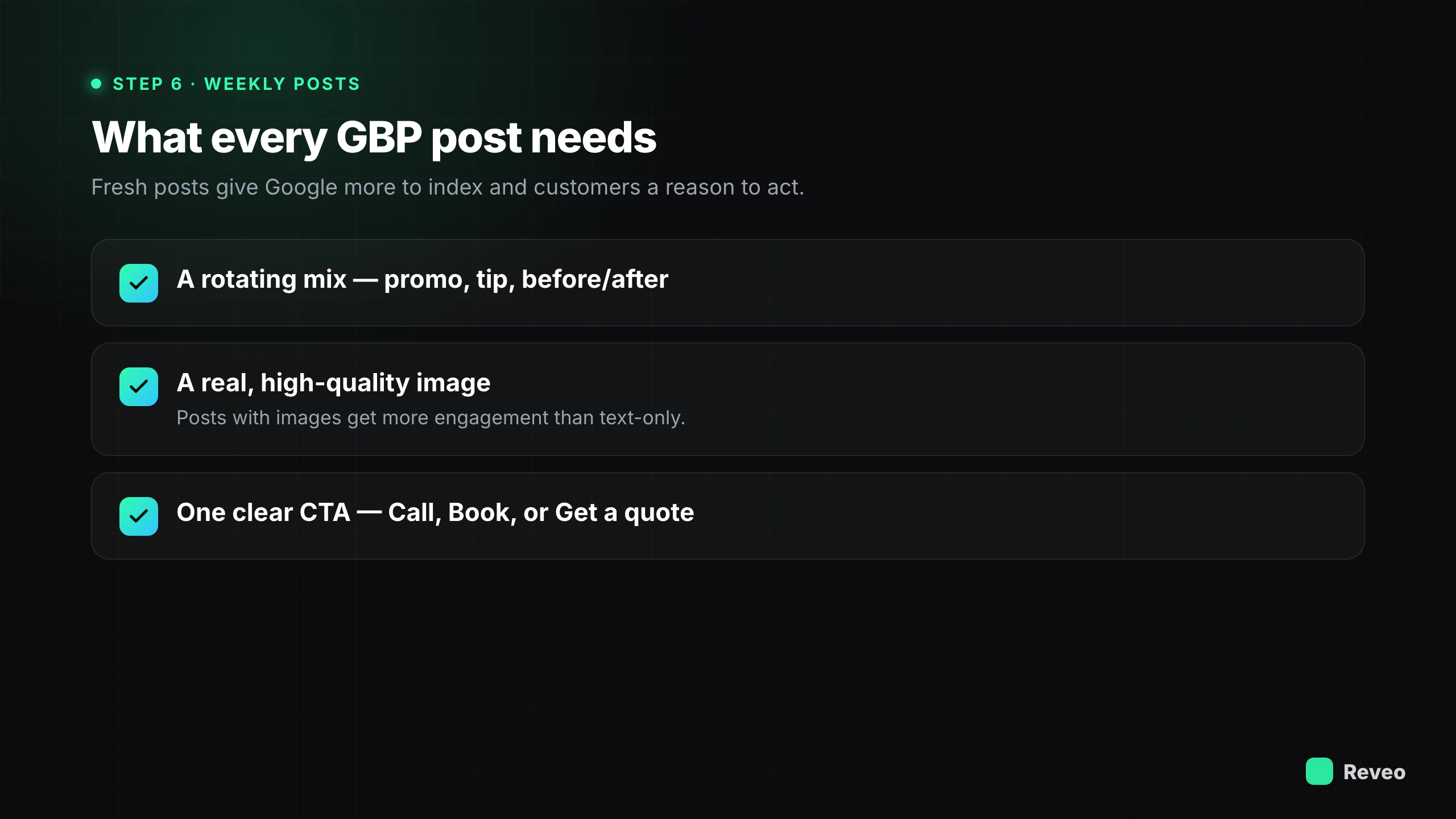
Post promotions, tips, and before/after content — Rotate between seasonal promotions (“$50 off AC tune-ups this month”), helpful tips (“3 signs your water heater needs replacing”), and before/after project showcases. Variety keeps your profile fresh and gives Google more content to index.
Use a high-quality image with every post — Posts with images get more engagement than text-only posts. Use real photos from your business — completed projects, crew in action, or happy customers (with permission). Avoid generic stock photos.
Include a clear CTA in every post — Every post should drive one specific action: “Call now,” “Book online,” “Get a free quote,” or “Learn more.” Google provides built-in CTA buttons for posts — use them. A post without a CTA is a missed conversion opportunity.
Example — Weekly GBP Post With CTA Button
Step 7 — Track & Adjust
Optimization isn’t a one-time project — it’s an ongoing process. The businesses that dominate local search are the ones that track their performance, spot trends, and adjust their strategy monthly. Google provides the data; you just need to use it.
Monitor GBP Insights weekly — Check your calls, website clicks, direction requests, and profile views in the GBP dashboard. These metrics tell you exactly how many leads your profile is generating. Track month-over-month trends to measure whether your optimization efforts are working.
Track keyword rankings — Use a local SEO tool to monitor which keywords your GBP ranks for and how your position changes over time. Pay attention to high-value keywords like “[service] near me” and “[service] in [city]” — these drive the most qualified leads.
Adjust strategy based on trends — If calls are dropping, review your recent changes. If one type of post gets more engagement, do more of it. If a competitor is outranking you, study their profile for gaps in yours. Let the data guide your decisions, not assumptions.
Conduct a monthly optimization review — Set a recurring monthly calendar event to audit your GBP: update hours if needed, add new photos, review and respond to recent reviews, publish a fresh post, and check for any Google-suggested edits that need approval or rejection.
Where to start
If you do nothing else on this list, do the two that move the needle fastest: get the profile claimed with a correct primary category and matching NAP, then turn the review ask into a system that fires after every job. Categories decide what you rank for; reviews decide whether you win the click once you’re there. The rest compounds around those two.
The businesses that dominate local search aren’t doing anything secret. They’re doing the work consistently — and they took the one manual step, remembering to ask, out of the loop.
See where your profile stands
Run a free reputation scan for a two-minute snapshot of your reviews, rating, and listings — then work this checklist against what it finds.