


Reviews drive conversions the moment a homeowner is deciding who to call — the reviews on your Google Business Profile, your website, and your ads do the selling before your phone ever rings. The businesses that win aren’t the ones with the most reviews sitting on Google; they’re the ones who put those reviews everywhere a customer looks. Reviews and conversions connect at the decision points, not in the pile of stars: the search result, the service page, the quote form, the van in the driveway. This is where to place your reviews so they actually close jobs.
Collecting reviews is the easy half. Most home-service companies stop there — they run review requests, watch the count climb, and let all that proof sit on one platform doing a single job. The work that moves revenue is repurposing it.
Why reviews convert
A prospect reading a review is hearing from someone with no reason to lie to them. That’s the whole engine. You can say you’re fast, fair, and clean; it lands as marketing. A stranger saying “they were at my house within the hour and left the crawlspace cleaner than they found it” lands as fact.
For a home-service buyer, the review is answering one silent question: will this go wrong? They’ve been stood up by a no-show plumber and overcharged by an HVAC tech before. Recent, specific reviews are what lower that risk enough to make the call. And the volume matters more than owners think — when EcoStar Pest Control built 1,015 Google reviews from a single location, the point wasn’t the number itself. It was that every competitor in the area had 50 to 200, so EcoStar is the obvious safe choice before a prospect reads a single word.
Where your reviews do the selling
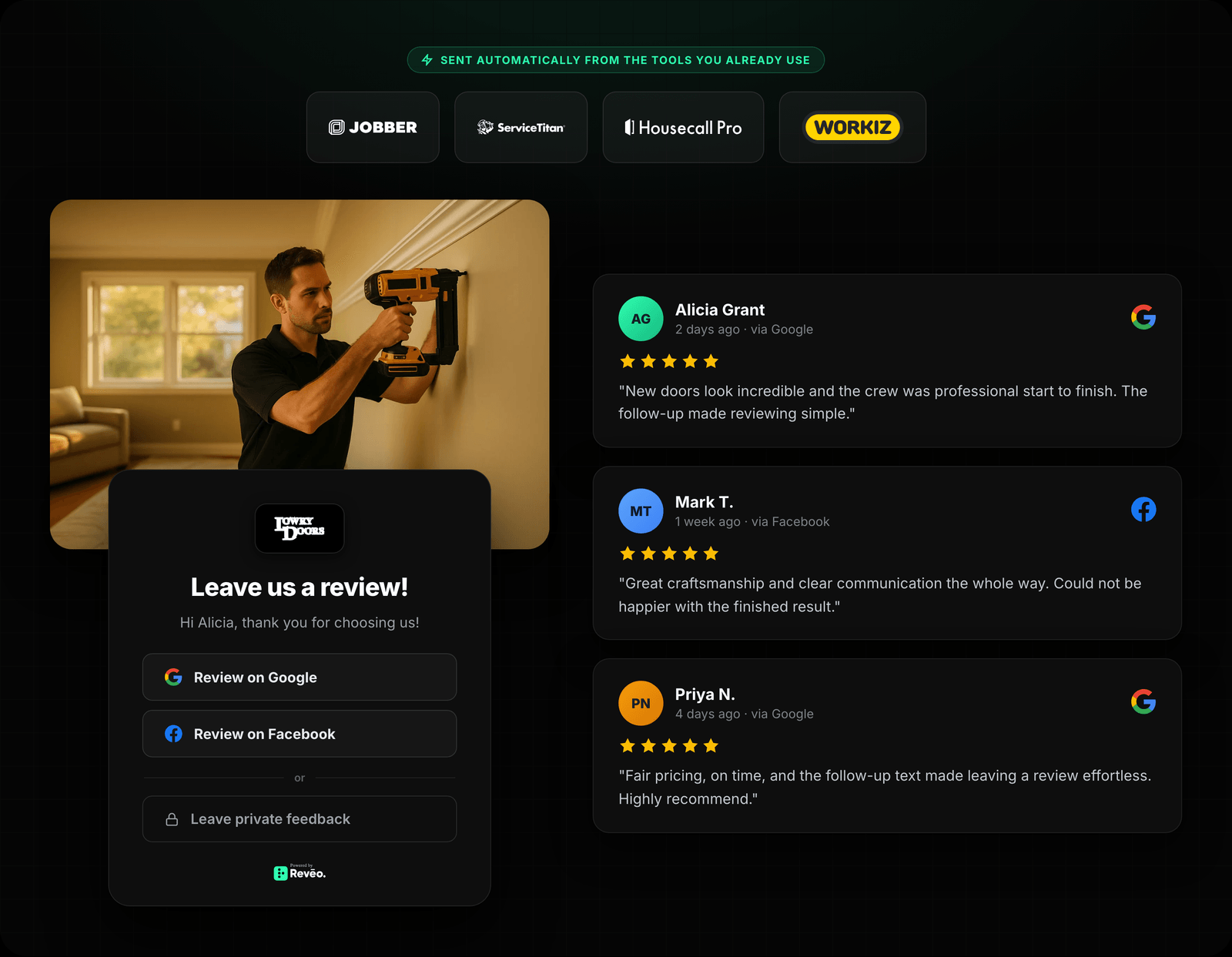
Five places. Rank them by how close they sit to the moment someone decides.
On your Google Business Profile
This is the spot that matters most, because it’s where most local buyers actually look first. Your rating, your review count, and your most recent reviews show up in the map pack next to your competitors — side by side, same screen. Keep the flow of fresh reviews steady and reply to every one, because a profile with reviews from this month reads as an active business and a profile whose last review is from last spring reads as one that might be gone. Your Google Business Profile is the one asset where the reviews and the buying decision happen in the same three seconds.
On your website — where the quote gets filled out
Do not bury reviews in a “Testimonials” tab nobody clicks. Put them on the pages where the decision happens: your service pages and next to your quote form. A review that names “AC repair” on your AC-repair page carries more weight than a generic five-star quote on the homepage, because it answers the exact worry of the person on that exact page.
The mechanic that keeps this current is a review widget — an embedded block that pulls your latest reviews automatically, so the page stays fresh without anyone touching it. Static screenshots go stale; a live widget means the service page you built once keeps getting more persuasive as new reviews land. Your website is one of several places a review can work — the full picture is here.
In your Google Ads — Seller Ratings
If you run Google Ads, your star rating can appear right under the ad as a Seller Ratings extension. Those stars make your ad the one that stands out in a stack of identical text ads, and they’re doing it before anyone pays for a click.
There’s a real bar to clear: Google generally requires at least 100 reviews and a composite rating of around 3.5 stars or higher within the past 12 months to show Seller Ratings, and it pulls from Google plus other licensed review sources. That threshold is a good argument for treating review generation as a system rather than a favor you ask when you remember — you can’t switch this on the week you decide you want it. It’s the payoff of months of steady asking.
On the truck, the door hanger, the yard sign
Reviews aren’t only a digital asset. A short, specific quote with a five-star rating on a van wrap works every time you drive through the neighborhood you serve. Put your best line on door hangers, yard signs, and direct mail. A quote like “showed up on time and did what they said” on a lawn sign in a yard you just finished is proof to the three neighbors watching.
In email and follow-up
If you send any email — estimates, seasonal reminders, follow-ups — drop a real customer quote near the button you want clicked. It costs nothing and it adds a second voice at the moment someone’s deciding whether to book. Drapery Street, a window-treatment shop that runs most of its business out of its inbox, is a good reminder that the follow-up message is a sales surface, not just an admin one.
Which reviews are worth featuring
Not all of them. The five-star “great company!” is fine for your average and useless for convincing anyone. Pull the reviews that do three things:
- Name a specific service or outcome — “replaced our water heater same day,” not “highly recommend.”
- Answer an objection — price, timeliness, mess, trustworthiness with a key in the house.
- Are recent — a review from this quarter beats a glowing one from three years ago.
Romney Pest Control built 2,337 reviews over 28 months, and that density did something most owners never think about: when the company sold, the review base showed up in the valuation. Reviews that specific and that current aren’t decoration — they’re an asset a buyer will pay for.
Measuring whether it’s actually working
You’ll see “displaying reviews lifts conversions by X%” quoted all over the internet. Ignore the number and measure your own pages — a stat from someone else’s e-commerce store tells you nothing about your HVAC quote form.
Three honest tests:
- Page comparison. Add a review widget to a service page and watch form fills and calls before versus after. Your own analytics beat any blog’s figure.
- Ad performance. If you turn on Seller Ratings, compare click-through and cost-per-click on those campaigns to what they were without stars.
- Social. Post a real review as a graphic against a normal promo post and compare the engagement. Do it a few times before you trust the pattern.
Measure it in your own account. That’s the only number that matters for your business.
Where to start this week
You don’t need a campaign. You need to stop letting your proof sit in one place.
- Put your three best, most specific reviews on your top service page — next to the quote form.
- Turn on a live review widget so the page stays current without you.
- Add a customer quote to your GBP posts, your estimate emails, and your next batch of door hangers.
The companies that treat reviews as marketing assets — not just feedback they collect and forget — are the ones converting more of the same traffic into booked jobs. Scoop Soldiers, a 47-location pet-waste franchise, put the generation engine on autopilot and pushed its review velocity roughly 10× — but the count only pays off once those reviews are working on the pages and ads where customers decide.
Want to see where your reviews stand — count, rating, and how you look against the shop down the road? Run a free reputation scan for a snapshot in a couple of minutes, then start putting those reviews to work.