


Introduction
If you dread asking for reviews because you fear bothering customers, you’re not alone. Many business owners feel awkward about it — worried they’ll come across as needy or pushy. But in 2026, there’s a better way. Personalized, well-timed requests don’t just avoid annoying customers — they make them feel valued. The businesses that are winning online right now aren’t the ones with the biggest ad budgets. They’re the ones with the most authentic reviews, earned through smart, respectful outreach.
~0%
of businesses actively ask for reviews — most never do
The gap between those two numbers is your opportunity. If you simply ask, you’re already ahead of most competitors. The rest of this guide shows you exactly how to ask — when, what to say, and how to automate the whole process so it runs on autopilot.
Timing Is Everything
When you ask matters just as much as what you say. A perfectly worded request sent at the wrong time gets ignored — or worse, feels intrusive. Here are three timing principles that consistently drive higher response rates:
-
Same-day requests capture enthusiasm — Customers are most excited about your service within hours of completion. Their memory is fresh, their satisfaction is high, and they haven’t moved on to the next thing yet. Strike while the iron is hot.
-
Avoid weekends and late nights — Messages sent after 8pm or on weekend mornings feel intrusive. Stick to business hours — Tuesday through Thursday afternoons tend to see the highest open and completion rates.
-
Use frequency settings to prevent over-requesting — Nothing kills goodwill faster than asking a loyal customer for a review every single visit. Set frequency caps so repeat customers only get asked once per quarter — or once per year for regulars.
The sweet spot: 2–4 hours after job completion is the ideal window. The customer has had time to appreciate the work, but hasn’t moved on with their day. This timing consistently produces 2–3x higher review completion rates compared to next-day or week-later requests.
Scripts That Get Results

You don’t need to write a novel. The best review requests are short, personal, and make it easy to say yes. Here are three proven scripts you can start using today — one for each channel.
SMS
Text Message Template
Hi [First Name], thanks for trusting us with your [Service Name]! Would you share your experience? It helps other homeowners choose us. [Review Link]
Email Template
Subject line:
How did we do?
Hi [First Name], Thank you for choosing [Business Name] for your recent [Service Name]. We hope everything exceeded your expectations. If you have a moment, we’d love to hear about your experience. Your review helps us improve and helps other customers find a team they can trust. [Leave a Review] button Thanks again, The [Business Name] Team
In-Person
Verbal Script
“We really appreciate your business. If you have a moment, a Google review would mean the world to us — I can text you the link right now.”
Getting every tech to actually say this consistently is its own challenge — here’s how to train your team to ask for reviews without it feeling scripted.
Want more than one script per channel? Grab 8 ready-to-send review request SMS templates and 7 review request email templates — copy, paste, personalize. And if you haven’t set up your direct review link yet, here’s how to get your one-tap Google review link so “[Review Link]” above is a real, working URL.
Automation Without Losing the Human Touch
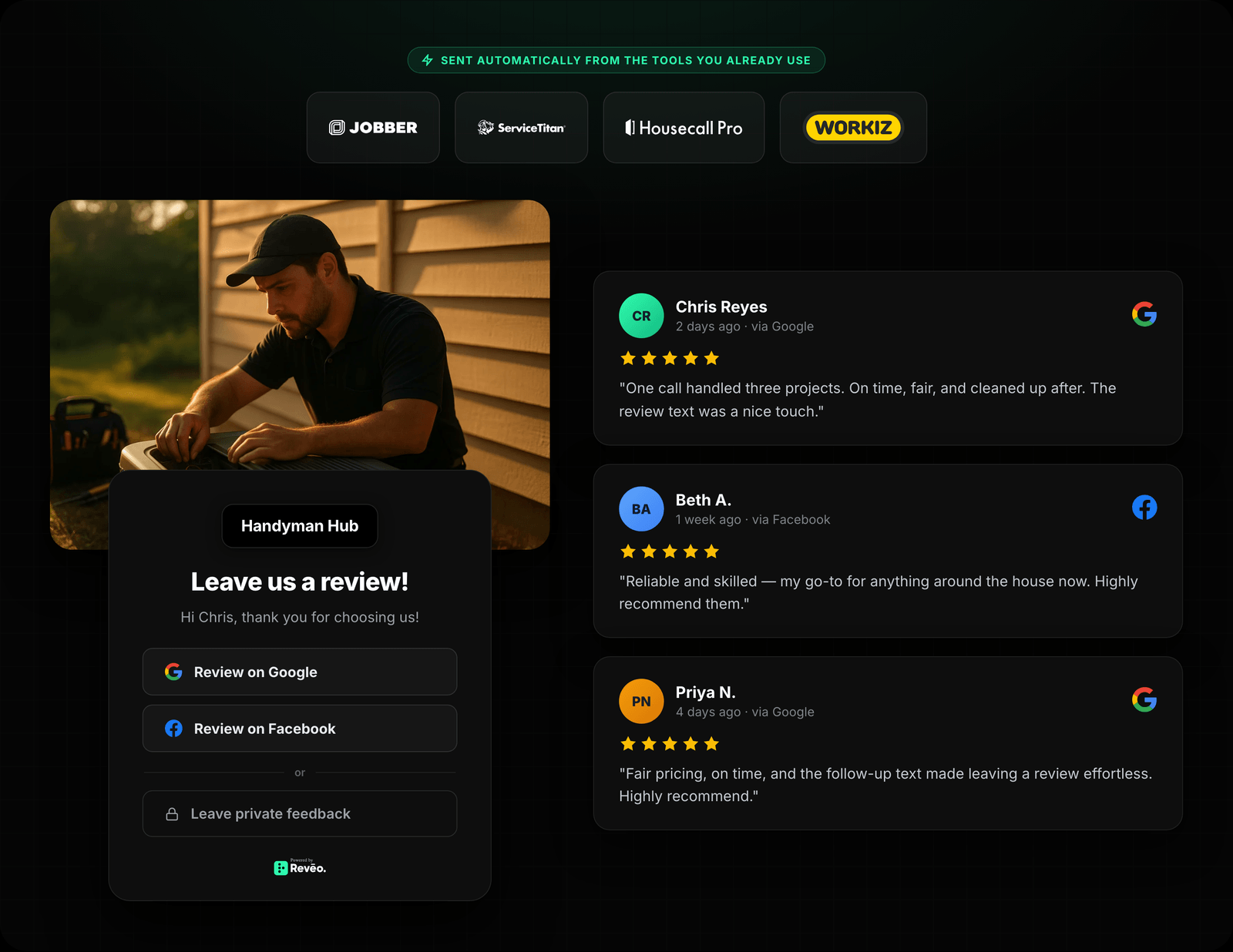
The best review request is one you don’t have to remember to send. With Reveo, review requests trigger automatically when a job is marked complete in your system — no manual effort, no forgotten follow-ups.
But automation doesn’t mean generic. Each message is personalized with the customer’s first name, the specific service they received, and the technician who performed the work. When a homeowner gets a text that says “Thanks for letting Marcus handle your AC tune-up,” it feels personal — because it is.
Reveo also applies smart rules behind the scenes: customers who left a review within the past year are automatically skipped, preventing over-asking. Frequency caps, quiet hours, and channel preferences are all configurable — so the system respects your customers’ boundaries while steadily building your review count.
Pro tip: The businesses that grow their review count fastest aren’t the ones sending the most requests — they’re the ones sending the right request to the right person at the right time. Automation makes that possible at scale.
Common Mistakes to Avoid
Even well-intentioned review strategies can backfire if you fall into these common traps. Here are four mistakes we see businesses make — and how to avoid each one.
-
Bulk sending once a month — Blasting all your customers at once looks spammy and generates a suspicious spike of reviews that Google may flag. Instead, send requests individually as each job completes for a natural, steady flow.
-
Generic, corporate language — Messages that sound like they were written by a legal team get ignored. Use a conversational tone, the customer’s name, and reference their specific service. People respond to people, not brands.
-
Forgetting follow-ups — Most customers don’t ignore your request — they just get busy. A polite follow-up 3–5 days later can double your response rate. One reminder is helpful; two is pushy. Know the difference.
-
Asking before the job is done — Never request a review before the customer has experienced the full service. If they haven’t seen the finished result, they can’t write an honest review — and you risk a lukewarm or negative one.
Conclusion
Asking for reviews doesn’t have to feel awkward. With the right timing, genuine language, and smart automation, you can build a steady stream of 5-star reviews that drives new customers to your door — without ever annoying the ones you already have.
Start by implementing one script from this guide today. Then set up automated triggers so every completed job becomes an opportunity. The businesses that ask consistently — and respectfully — are the ones that dominate local search in 2026.
Ask Smarter, Get More Reviews
Reveo automates personalized review requests so you never have to ask manually again.