
7 Customer Survey Invite Templates for Home Service — Reveo

Seven copy-paste SMS and email templates home service pros use to invite customers to share feedback — so you hear about problems before Google does.
See the 7 templates Email me the pack →
Why send a customer survey invite?
Every home service job ends in one of two places: a customer quietly tells their friends you were great, or they quietly tell Google you were not. A customer survey invite is the cheap, low-friction message that gets you in front of both scenarios before a public review is written.
Think of the survey invite as an early-warning system. A one-question SMS sent the evening after service catches the upset customer while you still have a chance to fix the issue, send a tech back out, or issue a partial refund. Handle it privately and they usually move on. Miss it and you learn about it from a three-line, one-star review a week later.
The invites below are the exact patterns Reveo customers run across NPS pulses, post-service check-ins, annual health surveys, and cancel-recovery flows. They are short, human, and tested on real home service customers.
Anatomy of a great survey invite
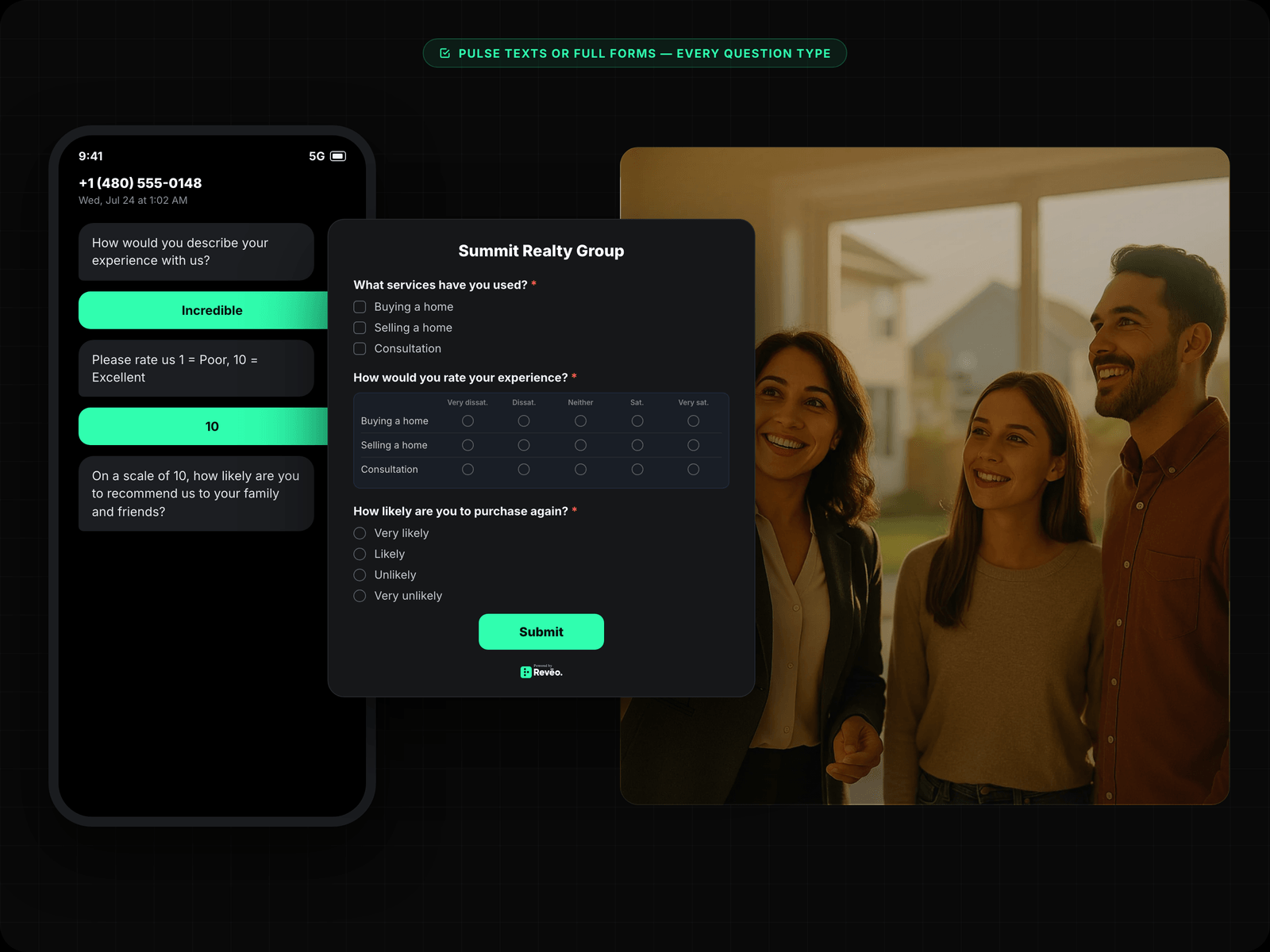
The invites that convert have four things in common. Whether you are sending a single-question NPS pulse or a longer five-question email, follow this checklist.
- Short or honest about length
Use a single-question pulse when you can. If you need three to five questions, say so. “30 seconds” or “2 minutes” beats a vague “quick survey.”
- Tell them the time commitment
Response rates jump when the invite names the exact effort. Use the {estimated_time} variable — “30 seconds,” “1 question,” “2 minutes.”
- Thank them before they click
A “thanks in advance” or “it helps us a ton” line lifts completion rates because it tells the customer their effort matters.
- Sign it from a person
Use the tech’s name, the owner’s name, or at least the business name. Generic “no-reply” invites under-perform by 30–50%.
Variables used in every template

The templates below use Reveo’s standard merge tags. Swap them in your own tool or paste directly into Reveo campaigns and they fill in automatically.
{first_name} — customer first name
{business_name} — your company name
{tech_name} — technician or owner
{survey_link} — one-tap survey URL
{estimated_time} — e.g. “30 seconds”
Hi {first_name}, {tech_name} here from {business_name}. On a scale of 0–10, how likely are you to recommend us to a friend or neighbor? Reply with a number — takes {estimated_time}. Thanks! When to use: Send 2–4 hours after job close. Keeps the pulse tied to the specific visit, not yesterday’s tune-up.
Hey {first_name}, thanks for having {business_name} out today. Quick {estimated_time} check so we can keep improving: {survey_link} — means a lot. – {tech_name} When to use: Send the day after service for customers who did not open the SMS pulse. Works well paired with template #2.
Subject: Quick favor, {first_name} — {estimated_time} of feedback?

Hi {first_name},

Thanks again for choosing {business_name}. Our whole team — {tech_name} included — reviews customer feedback together every week, so your answers actually move the needle.

Would you mind answering 5 short questions? It takes about {estimated_time}:

{survey_link}

Thanks in advance for helping us get better.

— The {business_name} team Subject: {first_name}, how is {business_name} doing a year in?
Hi {first_name},
It has been about a year since you first had us out, and we would love a bigger-picture check-in than our usual post-service survey.
This one takes about {estimated_time} and covers:
• How well we have communicated
• Quality and consistency of our work
• Pricing and invoicing
• What we should start, stop, or keep doing
It helps us plan the year ahead: {survey_link}
If anything has gone sideways, you can also just reply to this email and it comes straight to me.
Thanks, {first_name} — every answer helps.
— {tech_name}
{business_name} When to use: Trigger this 7–14 days after a cancellation or non-renewal. The honest answers here are gold for your retention playbook.
Subject: {first_name}, mind telling us what we could have done better?

Hi {first_name},

I saw you cancelled with {business_name} recently. No hard feelings — I just want to learn. Would you share what pushed you elsewhere?

Three quick questions, {estimated_time}: {survey_link}

Even if it was price, timing, or a specific visit that went sideways, I would rather hear it straight than guess. If it was something we can fix, I would also love the chance to earn you back.

Thanks for the honesty.

— {tech_name}
{business_name} When to use: Fire 24–48 hours after the first completed service. Catches onboarding-specific issues (scheduling, arrival, billing) while they are fresh.
Subject: Welcome to {business_name}, {first_name} — how did we do?

Hi {first_name},

Now that {tech_name} has wrapped your first service with {business_name}, we would love your first-impression feedback. First jobs are where we catch the little things — how easy scheduling was, whether our arrival window held, and how the work landed.

It is {estimated_time}, four questions: {survey_link}

Your answers help us onboard future customers better and tell us if there is anything we should fix for your next visit.

Thanks for trusting us, {first_name}.

— The {business_name} team Subject: {first_name}, $10 on us for {estimated_time} of feedback
Hi {first_name},
We are running a short feedback push this month and would love your take. As a thank-you for completing the full survey, we will send you a $10 gift card.
Survey link: {survey_link}
Time: about {estimated_time}
Note: the gift card is for completing the survey, not tied to any specific rating — so please answer honestly. Real answers are what we actually need.
Thanks, {first_name}.
— {tech_name}
{business_name} Stop copy-pasting. Automate it.
Reveo sends these automatically after every job — personalized, on-brand, and measurable. Book a demo to start your free trial.